
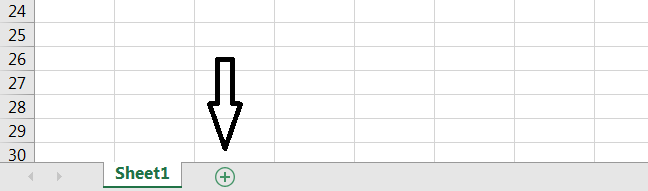
Default workbooks always come with a single empty worksheet. At any time, you may add a new worksheet to your workbook just by clicking on the icon + next to the tab for the current workbook. The new sheet automatically appears to the right of the last one.
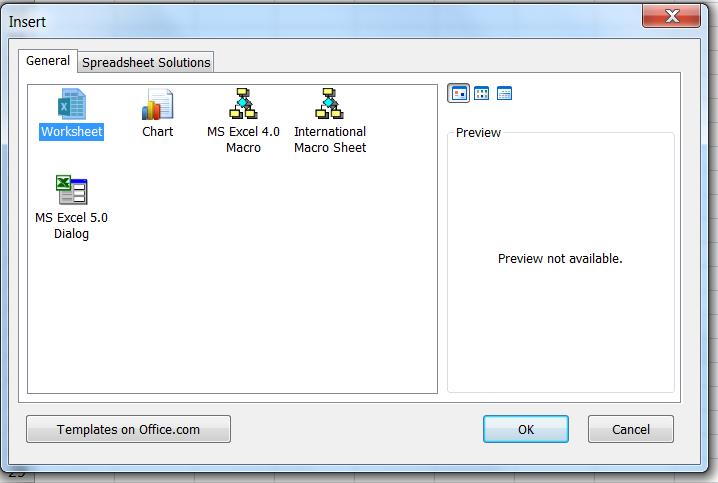
Note that the combination Shift+F11 also creates a new worksheet. Additionally, you may right-click on any of the existing worksheet tabs to activate a contextual menu where Insert... stands on top. Click on Insert... then choose Worksheet and click OK. A new sheet will appear to the left of the sheet on which you originally right-clicked.
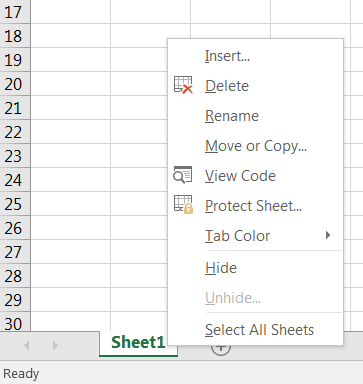
Via this menu, you may also remove, rename and personalize those tabs/worksheets.
Fant du det du lette etter? Did you find this helpful?
[Average: 4]